Help
How importing works
- Sign in to TennisLink as you normally do (add usta.com, UTR and WTN later)
- Open the page with your results
- Click the Bumped button, or copy the page and paste it on Bumped
- Check your dashboard for the new matches
Importing your results
Can I import from my phone?
On an iPhone, the easiest way is the Bumped app: turn it on in Safari once, then tap Sync all to bring in your league, tournament, UTR and WTN results (WTN comes from your usta.com account page; update the app if you don't see it). You sign in to each site the first time only.
Yes. There are two ways to bring in your matches. On a phone, or in any browser, copy and paste each page: open it, copy the whole page, then paste it on Bumped. On a computer with Google Chrome (or Edge or Brave), the Bumped extension does each page in one click. Both bring in the same matches and ratings, and you can mix them. Your dashboard works in any browser.
Which pages can I import from?
Four pages. Start with your TennisLink Player Record: that one page brings in your league matches, and you can add the others any time. Sign in to each site as usual, open the page, and click the Bumped button or copy and paste it.
- Your TennisLink Player Record
- The Results tab of your usta.com profile, with each tournament expanded
- The Results tab of your UTR profile
- Your WTN player profile
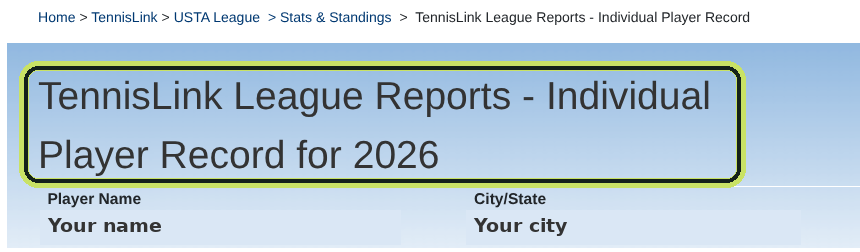
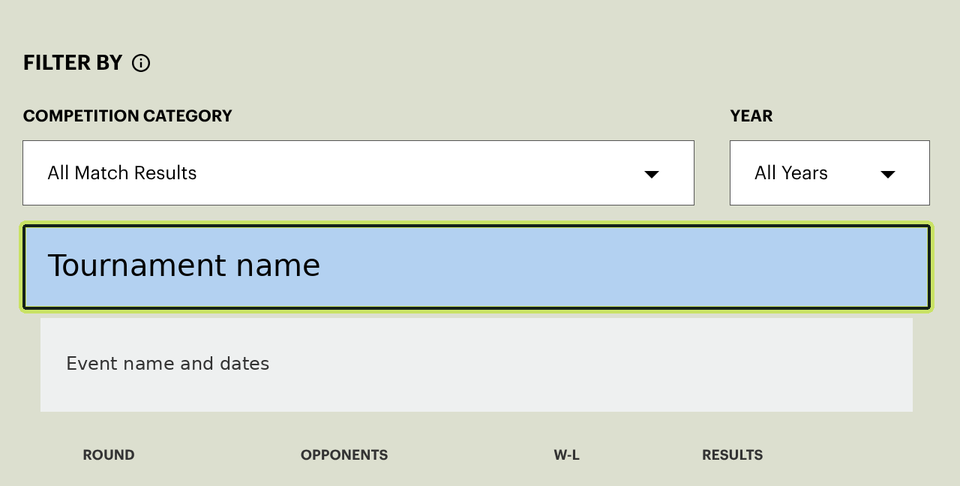
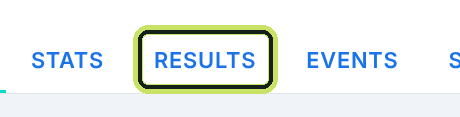

These screens belong to their owners and can look different on your device.
The Connect page (extension) and the copy and paste page have step-by-step directions with pictures.
Some of my matches are missing.
Import again from the page that has them. Importing the same page twice is safe: Bumped skips matches it already has.
- usta.com: expand every tournament before clicking the Bumped button or copying, because collapsed tournaments don't show their matches.
- Copy and paste: make sure the copy runs all the way to your last match.
- TennisLink: if the search shows one row per league, any of them opens your full record for the year.
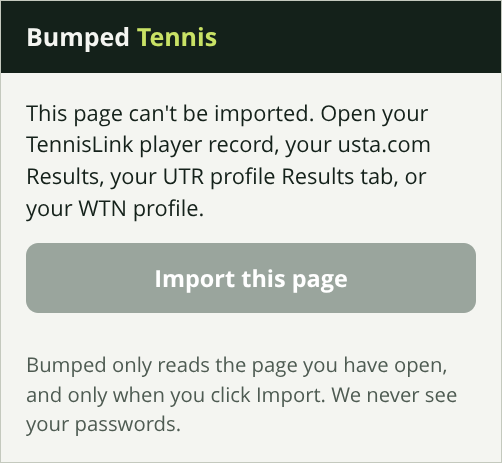
The extension says it can't import this page.
- Check you're on one of the four pages above, not a search result or a team page.
- Check you're signed in to that site.
- Click the Bumped button again.

Copy and paste says it couldn't read my page.
Copy the whole page, from the top down to your last match.
- Android: press and hold any word and tap Select all.
- iPhone: press and hold a word near the top and drag the lower handle to the bottom.
Make sure it's one of the four pages above (on TennisLink, your Individual Player Record, not the search results). Still stuck? Email hello@bumpedtennis.com and tell us which page and phone you used.
Your estimate
Which matches count toward my estimate?
League and tournament singles and doubles count. Mixed doubles and retired matches are shown in your match list but don't count, which matches how USTA year-end ratings work. Tri-Level and Combo leagues are also left out for now, because USTA sections differ on whether they count. Your dashboard marks which matches count.
Why is my estimate different from my published level or another site?
USTA doesn't publish its rating formula, so every outside number is an estimate, including ours. Bumped uses all of your results together: league, tournament, UTR and WTN, plus the strength of each opponent and partner. Other sites usually use less. An estimate is a guide, not an official rating, so don't use it for eligibility or appeals.
Why did my estimate change?
Your estimate is recalculated every time you sync, so it's normal for it to move during the season. It can change when:
- You sync new matches.
- Matches fall outside the current rating year. Matches after November 15 count toward the next year, and your dashboard moves to the new year in mid-December.
- You import a newer UTR or WTN, or your opponents' levels change, which changes how strong past matches look.
- We update the Bumped model, which we'll let you know about. The last update was Model v1.4 on November 16, 2026.
With a full season of matches, one new match usually moves it only a few hundredths. Early in the season, with fewer matches, it can move more. After a sync that adds matches, the note at the top of your dashboard shows how much it moved.
What changed in Model v1.4?
On November 16, 2026 we updated how the estimate is calculated. If you had an estimate before that, your number may have moved even though your matches did not change. For most players it moved down by about a tenth of a point.
- Opponents are rated more fairly. People often play up a level, so not everyone in a 4.0 flight is a 4.0. The old model treated them as if they were, which made results look a little better than they were.
- Your current level is the starting point, the way USTA starts each year from your last rating.
- Singles counts more than doubles, because a doubles result depends on three other players.
- NTRP tournament matches now count in full. Tri-Level and Combo league matches are left out for now: some USTA sections use them for year-end ratings and some don't.
- The odds are more careful. Most players stay at their level each year, and the odds now reflect that.
We checked both models against the 2025 year-end results of more than 1,000 players. The old model predicted moving up too often; the new one was right far more often when it predicted a move, and its odds lined up with what actually happened. It is still Bumped's own estimate, not an official USTA rating, and USTA does not publish its formula.
Can other people see my matches?
No. Other Bumped users can never see your account, your matches or your estimate. Bumped never sees your passwords for USTA, UTR or WTN. See the Privacy Policy.
Account and billing
I didn't get the sign-in email.
Check your spam or promotions folder for an email from Bumped Tennis. It has a sign-in link and a 6-digit code. The code works in any browser, which helps if the link opens in a different one. You can request a new email after a short wait.
What's the monthly report card?
Pro members get a report card on the 1st of each month: last month's record, best win, how your estimate moved, and a pattern from your matches. It's on your dashboard and in your inbox. To stop the emails, use the link at the bottom of any report email. The dashboard version stays.
How do I cancel Pro?
On your dashboard, click Billing and cancel. Pro stays active until the end of the month or year you already paid for, then it doesn't renew. Annual members get an email 30 days before each renewal.
How do I delete my account?
Go to your Account page and tap Delete my account. It deletes your account and everything imported into it, and cancels Pro if you have it. You can also email us from the address you sign in with and we'll do it for you.
Still stuck with your matches or your account? Email hello@bumpedtennis.com.